
Learn WordPress website development from scratch. Step-by-step guide to build a professional WordPress site in 2026. Free & paid options included.
Did you know that 43% of all websites on the internet use WordPress? That’s nearly half of the entire web! If you’re ready to build your own professional online presence, WordPress website development is your golden ticket. By the end of this guide, you’ll know exactly how to develop a professional WordPress website without touching a single line of code.
What is WordPress Website Development?
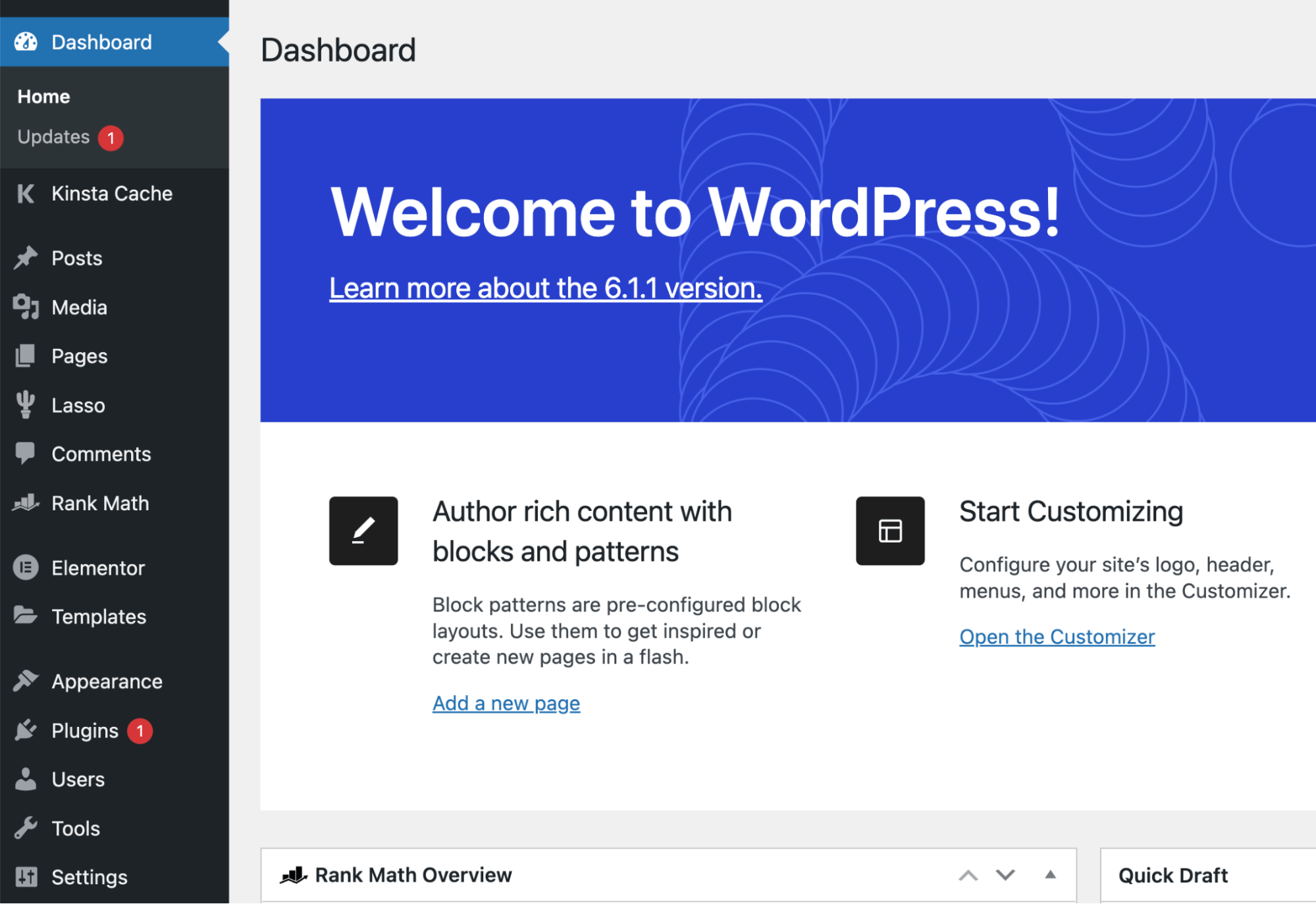 WordPress website development is the process of creating and building websites using WordPress, the world’s most popular Content Management System (CMS). Think of WordPress as the engine that powers your website—it handles everything from design to content management.
There are two versions: WordPress.org (self-hosted, fully customizable) and WordPress.com (hosted, limited features). For serious WordPress website development, WordPress.org is the clear winner.
Why is WordPress website development the best choice for beginners? It’s cost-effective, highly customizable, SEO-friendly, and requires zero coding skills. You can build anything from a blog to an e-commerce store!
Why Choose WordPress for Website Development?
Wondering why so many businesses trust WordPress? Here’s why WordPress website development dominates the market:
43% market share – Most popular CMS worldwide
Free and open-source – No licensing fees
50,000+ plugins available – Add any functionality you need
Thousands of themes – Find the perfect design
Mobile-responsive by default – Looks great on all devices
Excellent SEO capabilities – Rank higher on Google
Easy content management – Update content in minutes
Strong community support – Help is always available
Major brands like BBC America, TechCrunch, and Sony Music all use WordPress. If it’s good enough for them, it’s definitely good enough for your digital marketing journey!
“Your website is your online business card. Make it count.”
Step-by-Step WordPress Website Development Process
Ready to build? Follow these 7 steps for successful WordPress website development:
Choose and register your domain name
Pick something memorable and relevant (e.g., yourname.com). Keep it short and easy to spell.
Pro Tip: Use Namecheap or GoDaddy for affordable domains ($10-15/year).Select reliable WordPress hosting
Quality hosting is crucial for WordPress website development. Top choices include Bluehost, SiteGround, and HostGator.
Pro Tip: Bluehost offers 1-click WordPress installation and starts at $2.95/month.Install WordPress
Most hosts offer 1-click installation. Log into your hosting dashboard, click “Install WordPress,” and you’re done in minutes!Choose and install your theme
Browse thousands of free themes at WordPress.org or invest in a premium theme ($40-60) for advanced features. Ensure it’s mobile-responsive.Install essential plugins
Add functionality with plugins like Yoast SEO, WooCommerce, Contact Form 7, and Wordfence. Don’t overdo it—quality over quantity!Customize your site
Upload your logo, set brand colors, create menus, and add widgets. Go to Appearance → Customize in your WordPress dashboard.Create essential pages
Build these must-have pages: Home, About, Services, Contact, and Blog. Each page should clearly communicate your value proposition.
This WordPress development guide covers everything you need for successful WordPress site creation!
Essential WordPress Plugins for Website Development
The right plugins transform your WordPress website development from basic to exceptional:
Yoast SEO – Optimize for search engines and improve rankings
WooCommerce – Add e-commerce functionality to sell products
Elementor – Drag-and-drop page builder for custom designs
Wordfence Security – Protect your site from hackers and malware
UpdraftPlus – Automatically backup your website
WP Rocket – Improve site speed and performance
Contact Form 7 – Add professional contact forms
Each plugin matters for WordPress website development because they extend functionality without coding. Start with 5-7 essential plugins, then add more as needed.
Common WordPress Website Development Mistakes to Avoid
Even experienced developers make these costly mistakes. Avoid them for successful WordPress website development:
Choosing the wrong hosting provider – Slow hosting kills rankings and user experience
Installing too many plugins – Slows down your site; stick to essentials
Ignoring mobile optimization – 60%+ traffic comes from mobile devices
Not backing up your site – One hack could erase everything you’ve built
Skipping SEO optimization – Great content means nothing if no one finds it
Using nulled themes or plugins – Security risk that can destroy your site
Remember: quality WordPress website development means avoiding shortcuts that compromise your site’s future.
WordPress Website Development Cost Breakdown
Here’s what WordPress website development actually costs for beginners:
Compare this to custom development costs of $5,000-$50,000, and WordPress website development is an absolute bargain!
Also Read: Ai Tools For Marketing
Start Your WordPress Journey Today
WordPress website development is easier, cheaper, and more powerful than ever before. You now have everything you need to build a professional website that supports your digital marketing goals, SEO tips implementation, and affiliate marketing efforts.
WordPress is beginner-friendly, incredibly powerful, and scales with your business. Whether you’re a student, freelancer, or business owner, WordPress website development gives you the tools to succeed online.
“The best time to start building your online presence was yesterday. The second-best time is now.”
Start your Website Development Journey Today—your future self will thank you!